



For decades, the standard advice for spotting fraud was: “Check your bank statement every month.”
In 2025, that advice is dangerous. If a thief steals your card number on the 1st of the month, and you don’t check your statement until the 30th, they have had 30 days to drain your account or max out your credit limit.
You need to know the second it happens.
The good news is that your bank has a free tool to tell you. It’s called Real-Time Alerts, but they are usually turned off by default. You have to switch them on.
As your trusted advocate, we are here to show you exactly which three alerts to enable today to turn your phone into a 24/7 security guard for your wallet.
Key Takeaways
- Speed is Safety: Catching fraud instantly allows you to freeze the card before a thief can do real damage.
- Text > Email: Always choose SMS (Text Message) alerts over email. You check texts instantly; emails can sit for days.
- The “One Dollar” Rule: Set your transaction alert threshold to $1.00, not $100.00. Thieves often test cards with small purchases first.
- It’s Free: This security feature costs nothing and works on every modern smartphone.
The "Default" vs. "Safe" Settings: A Critical Difference
Most banks set your alerts to minimize annoyance. We recommend setting them to maximize safety. See the difference below:
|
Alert Type
|
Alert Type
|
Sagewise Senior Setting (Safe)
|
Why?
|
|---|---|---|---|
|
Transaction Amount
|
Alert me for purchases over $500
|
Alert me for purchases over $1.00
|
Thieves test stolen cards with small ($5-$10) charges first.
|
|
Delivery Method
|
Email
|
Text Message (SMS)
|
You might miss an email for hours. You see texts instantly.
|
|
International
|
Off
|
On
|
If your card is used overseas while you are home, it's 100% fraud.
|
Alert #1: The “Every Penny” Alert (Transaction > $1.00)
Most banks suggest setting an alert for “Large Purchases” (e.g., over $500). Do not do this.
Smart thieves know this rule. They will make a $20 charge at a gas station or a $50 charge online to see if the card works. If you only get alerts for big purchases, you will miss the test run.
- The Strategy: Log in and set a “Transaction Alert” for any purchase greater than $1.00.
- The Result: Your phone will buzz every time you buy a coffee or groceries. This might seem annoying at first, but it gives you total peace of mind. If your phone buzzes and you aren’t standing at a register, you know instantly that you’ve been hacked.
Alert #2: The “Card Not Present” Alert (Online/Phone)
This alert triggers whenever your card is used without being physically swiped or inserted. This covers Online Shopping, Phone Orders, and Digital Subscriptions.
- Why it’s Critical: According to recent crime data, “Card Not Present” (CNP) fraud is the most common type of credit card theft. Thieves buy gift cards or electronics on the internet using stolen numbers.
- The Benefit: Since you likely make fewer online purchases than in-store ones, this alert is rare but highly urgent. If you get this alert while watching TV, it is a definitive red flag that someone is using your card number online.
Alert #3: The “Profile Change” Alert (Account Takeover)
Sometimes, thieves don’t just want to use your card; they want to steal your account. They might try to change your password, your home address, or your PIN so they can lock you out and request a replacement card sent to their address.
- The Trigger: This alert notifies you instantly if any personal information on your account is changed.
- The Action: If you receive a text saying “Your Password Was Changed” or “Address Updated” and you didn’t do it, you must call the bank’s fraud department immediately. This is a sign of “Account Takeover,” the most dangerous form of identity theft.
How to Set These Up (General Guide)
Every bank is slightly different, but the steps are usually the same.
- Log In: Open your credit card’s mobile app or website.
- Find Settings: Look for “Profile,” “Account Services,” or “Security.”
- Select Alerts: Click on “Manage Alerts” or “Notifications.”
- Choose SMS: Make sure you select Text Message (not just Email).
- Customize: Find “Transaction Amount” and set it to $1. Turn on “Security” or “Profile” updates.
How We Rate Cards for Security Features
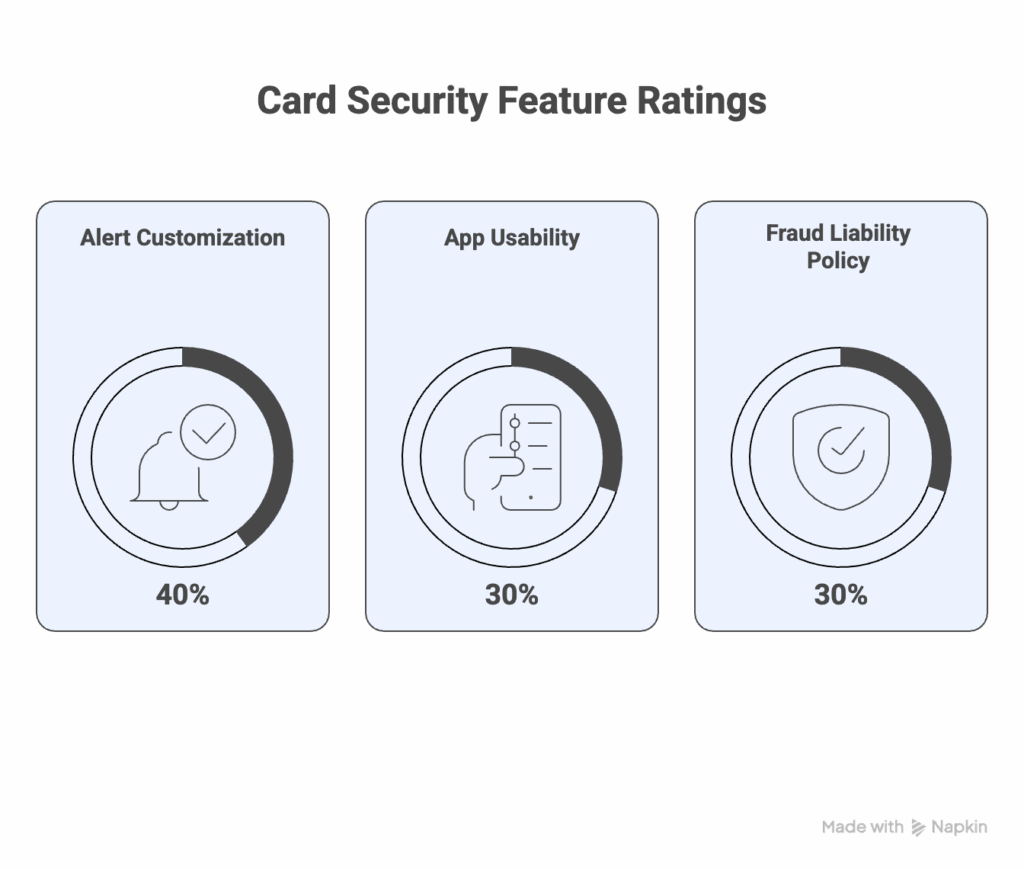
At Sagewise, we look beyond the “points” and evaluate how well a card protects a senior’s life savings. To make our “Best for Security” list, a card must excel in these three areas:
- Alert Customization (40%): Can you easily set alerts for transactions as low as $1? Some banks force a $100 minimum, which leaves you vulnerable.
- App Usability (30%): Is the mobile app easy for seniors to navigate? Can you lock/unlock your card with one tap?
- Fraud Liability Policy (30%): Does the issuer explicitly state $0 Fraud Liability? This ensures you never pay for a thief’s shopping spree.
Top Picks: Cards with Best-in-Class Security Apps
If your current bank’s app is confusing or doesn’t offer these alerts, consider switching to a provider known for digital safety.
- Best for Instant Alerts: SoFi Unlimited 2% Credit Card Sagewise Rating: 5.0
- Why it wins: SoFi’s app is modern and built for real-time updates. Their alert system is fast, clear, and easy to customize without navigating confusing menus. Plus, you get $0 Fraud Liability. Check Rates at SoFi
- Best for Simplicity: Capital One Quicksilver Sagewise Rating: 4.5
- Why it wins: Capital One’s “Eno” assistant is a smart alert system. It sends you texts not just for fraud, but for “double charges” or “higher than normal” tips, acting like a second pair of eyes on your spending. Check Rates at Capital One
- Best for Credit Monitoring: Discover it® Cash Back Sagewise Rating: 5.0
- Why it wins: In addition to purchase alerts, Discover offers free Social Security Number alerts, notifying you if your identity is found on the dark web. This is an advanced security feature usually found only in paid services. Check Rates at Discover
- Best for Proprietary Protection: Amex Blue Cash Everyday® Sagewise Rating: 5.0
- Why it wins: American Express is legendary for its fraud algorithms. Their system often catches unusual spending patterns before you even notice. Their mobile app allows you to “Freeze” your card instantly if you misplace it. Check Rates at American Express
- Best for App Experience: Citi Custom Cash® Card Sagewise Rating: 4.5
- Why it wins: Citi’s mobile app is highly rated for its clean interface. Setting up “Account Activity” alerts takes seconds, and they offer a dedicated “Security Center” in the app to review all your active devices. Check Rates at Citi
Frequently Asked Questions (FAQ)
It might take a week to get used to, but think of it as a “digital receipt.” Instead of collecting paper receipts, your text message history becomes your real-time log. Most seniors find it comforting to get that immediate “ding” confirming the exact amount they just spent.
Yes! In fact, it is even more important for debit cards because that is your money at risk. Log into your checking account and set up the same $1.00 alert threshold immediately. If a thief drains your checking account, you could bounce checks for utilities or rent.
Do not reply to the text with personal info. Open your banking app to verify the transaction. If it’s fraud, most apps have a “Lock Card” button. Press it instantly to block further charges, then call the number on the back of your card.
Yes. Banks do not charge for security alerts. Standard messaging rates from your phone carrier may apply, but most modern phone plans have unlimited texting.
Yes. If you aren’t comfortable using the app, call the customer service number on the back of your card. Tell the agent: “I want to turn on text alerts for every transaction over $1.00.” They can set it up for you.
Yes. Many banks offer Voice Alerts. You can set the system to call your home landline if a suspicious or large transaction occurs. Ask your bank representative about “automated voice notifications.”
No. A “Transaction Alert” is just a notification; it does not block the sale. However, if the bank suspects high-risk fraud, they may send a “Fraud Alert” text asking “Did you buy this?” You must reply “YES” or “NO.” If you reply “NO,” the card is blocked immediately to prevent further use.
Find a Safer Credit Card (Get a card with industry-leading fraud protection tools.)